
Download OpnForm – Free, Secure & AI-Powered Form Builder for Windows, Mac, Android & iOS
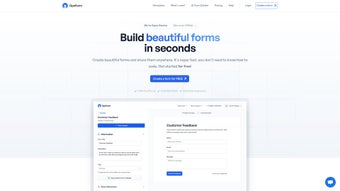
OpnForm is a next-generation web-based form builder that empowers users to create, customize, and manage electronic forms with unmatched speed and flexibility. Whether you're a small business owner, educator, event planner, or marketer, OpnForm simplifies the process of collecting data through intuitive tools and smart automation. With its AI Form Builder, you can generate fully functional forms just by typing a simple description—no coding required.
The platform supports unlimited fields, secure file uploads, real-time analytics, and seamless integrations with Slack and email. Available on all major devices including Windows, Mac, Android, and iOS, OpnForm ensures full accessibility and collaboration. With customizable themes, templates for surveys, registrations, feedback, and more, OpnForm adapts to your unique needs.
The free version offers robust features, while OpnForm Pro unlocks advanced tools like custom domains, confirmation emails, and larger file uploads. Download OpnForm today and transform the way you collect and manage data.
Effortless Form Creation with AI-Powered Intelligence
One of the standout features of OpnForm is its revolutionary AI Form Builder, which redefines how users create digital forms. Instead of manually dragging and dropping fields, you can simply describe what you need—like “Create a registration form for a workshop with name, email, job title, and a file upload for resumes”—and OpnForm instantly generates a fully functional form. This AI-driven approach dramatically reduces setup time, making it ideal for users who need to deploy forms quickly, such as event organizers, HR teams, or educators.
The AI doesn’t just guess; it learns from your input and applies logical field types, validation rules, and even conditional logic automatically. This ensures that your form is not only fast to create but also user-friendly and error-resistant. The system intelligently suggests field types, labels, and even appropriate file upload limits based on context.
For example, if you mention “application form,” it might automatically include sections for personal info, experience, and document uploads. This level of automation is rare in free form builders and gives OpnForm a significant edge over competitors. Moreover, the AI continues to improve with each use, adapting to your preferences and workflows.
Whether you're creating a customer feedback survey, a lead capture form, or a complex registration process, OpnForm handles it with precision. The result? A professional-grade form in under two minutes.
This feature alone justifies the download, especially for users who value time efficiency and smart tools over manual configuration. With OpnForm, form creation is no longer a chore—it’s a streamlined, intelligent experience.
Rich Customization & Advanced Functionality for Every Need
OpnForm doesn’t stop at fast creation—it excels in customization and advanced capabilities that cater to both beginners and power users. The platform offers a wide range of templates tailored for different use cases, including event registration, job applications, customer feedback, order forms, and donation collection. Each template is fully editable, allowing you to tweak colors, fonts, layouts, and branding elements to match your organization’s identity.
You can upload custom logos, background images, and even embed your brand’s color scheme for a cohesive look. The form builder supports unlimited fields, meaning you can include as many questions, sections, and conditional logic as needed—perfect for complex workflows like multi-step applications or surveys with skip logic. One of the most powerful features is the support for secure file uploads, allowing respondents to submit documents, portfolios, or certificates directly through the form.
Files are encrypted in transit and stored securely, ensuring compliance with data privacy standards. For teams, OpnForm offers real-time notifications via email or Slack, so you’re instantly alerted when a new submission arrives. Analytics dashboards provide insights into submission rates, completion times, and user behavior, helping you optimize future forms.
Advanced users can leverage webhooks to connect OpnForm with third-party tools like CRM systems, Zapier, or Google Sheets. With OpnForm Pro, you gain even more control: custom confirmation pages, personalized confirmation emails, and the ability to use your own domain (e.g., forms.yourcompany.com). These features make OpnForm a scalable solution that grows with your needs, whether you're a solopreneur or managing enterprise-level form operations.
Seamless Cross-Platform Access & Easy Setup
Accessibility is at the core of OpnForm’s design. Since it’s a web-based application, you don’t need to download or install any software—just open your browser and start creating forms. This makes OpnForm compatible with all major operating systems, including Windows, Mac, Android, and iOS.
Whether you're working from a desktop at your office, a tablet during a meeting, or a smartphone on the go, your forms are always accessible and responsive. The interface is clean, intuitive, and fully optimized for touchscreens, ensuring a smooth experience across devices. Setting up your first form is simple: sign up for a free account, choose a template or start from scratch, and use the drag-and-drop editor or AI builder to configure your form.
No technical skills are required. Once published, your form can be shared via a simple link, embedded in websites, or shared through social media. The platform automatically handles form validation, mobile responsiveness, and secure hosting, so you don’t have to worry about technical details.
For users who prefer offline work, OpnForm allows you to draft forms and save them locally before publishing. Updates are automatic and seamless—no manual version checks or downloads needed. This ensures you always have access to the latest features and security patches.
With its cloud-based infrastructure, OpnForm ensures high availability and data redundancy, so your forms remain live and accessible at all times. Whether you're managing a school project, running a nonprofit campaign, or launching a product, OpnForm delivers reliability and performance across every device and platform.
Pros & Cons: Is OpnForm Right for You?
- Pros:
- AI-powered form creation saves time and reduces errors
- Free version offers robust features without limitations
- Unlimited fields and submissions across all plans
- Secure file uploads with encryption and privacy controls
- Real-time analytics and notifications via email/Slack
- Responsive design works flawlessly on all devices
- Extensive template library for quick deployment
- Advanced integrations via webhooks and third-party tools
- Cons:
- Advanced features like custom domains require Pro plan
- No native desktop app (web-only access)
- AI suggestions may occasionally need manual refinement
- File size limits are moderate on the free tier
- Learning curve for complex logic and automation
Frequently Asked Questions (FAQ)
Is OpnForm free to use?
Yes, OpnForm offers a fully functional free plan with unlimited forms, fields, and submissions. You can use all core features—including AI form creation, file uploads, analytics, and email notifications—without any cost. The free version is ideal for individuals, small teams, and nonprofits.
Can I use OpnForm on my mobile device?
Absolutely. OpnForm is a web app that works seamlessly on Android, iOS, Windows, and Mac devices. You can create, edit, and manage forms from your smartphone or tablet using any modern browser.
Does OpnForm support conditional logic?
Yes, OpnForm supports conditional logic, allowing you to show or hide fields based on user responses. This is perfect for creating dynamic forms like application processes or multi-step surveys.
How secure is OpnForm?
OpnForm uses industry-standard encryption (SSL/TLS) for data in transit and secure storage. All submissions are protected, and file uploads are encrypted. The platform complies with GDPR and other privacy standards.
Can I connect OpnForm to my CRM or email tool?
Yes, OpnForm supports webhooks for integration with Zapier, Make (Integromat), and custom APIs. You can also connect via email and Slack for real-time notifications.
Conclusion: Why You Should Download OpnForm Today
If you're looking for a powerful, secure, and intelligent way to create and manage digital forms, OpnForm is one of the best tools available. With its AI Form Builder, extensive customization options, cross-platform accessibility, and robust security, it stands out in a crowded market. Whether you're collecting customer data, running a survey, or managing event registrations, OpnForm delivers speed, flexibility, and professionalism.
The free version is impressively capable, while the Pro plan offers advanced features for growing teams. No matter your technical skill level, OpnForm makes form creation effortless and enjoyable. Don’t waste time on clunky, outdated form tools—download OpnForm now and experience the future of digital data collection.
Download OpnForm today—free, secure, and ready to use on Windows, Mac, Android, and iOS.



.png)



